 ReMynd
one thing before the download.
leave your email and it starts right away. we’ll use it to help you get set up.
your download is on its way
remynd.dmg is big, so it can take a minute. when it lands, open it from your downloads.
download remynd for macremynd.dmgdidn’t start? start it again
using safari? if nothing downloads
- look for a pop-up asking to allow downloads on remyndai.com, and click allow.
- click the download button above once more. safari saves a file when it sees you click.
- still nothing? open safari, then settings, websites, downloads, and set remyndai.com to allow.
- to find the file, click the downloads arrow in the safari toolbar, or open your downloads folder.
- 1 open remynd.dmg from your downloads, then drag remynd to applications
- 2 open remynd and say yes to screen recording
- 3 in remynd settings, open ai integrations and turn on claude code (in the claude desktop app, use the code tab)

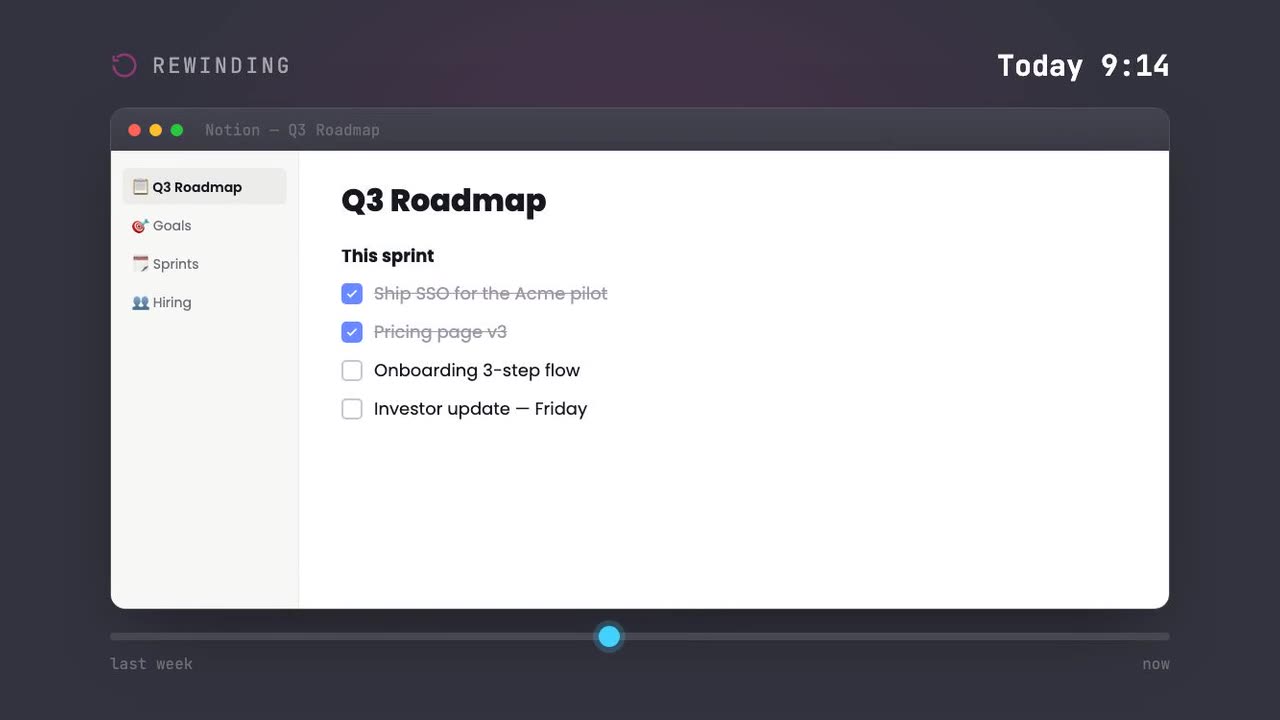
your mac now remembers everything you see. scrub back to any moment.
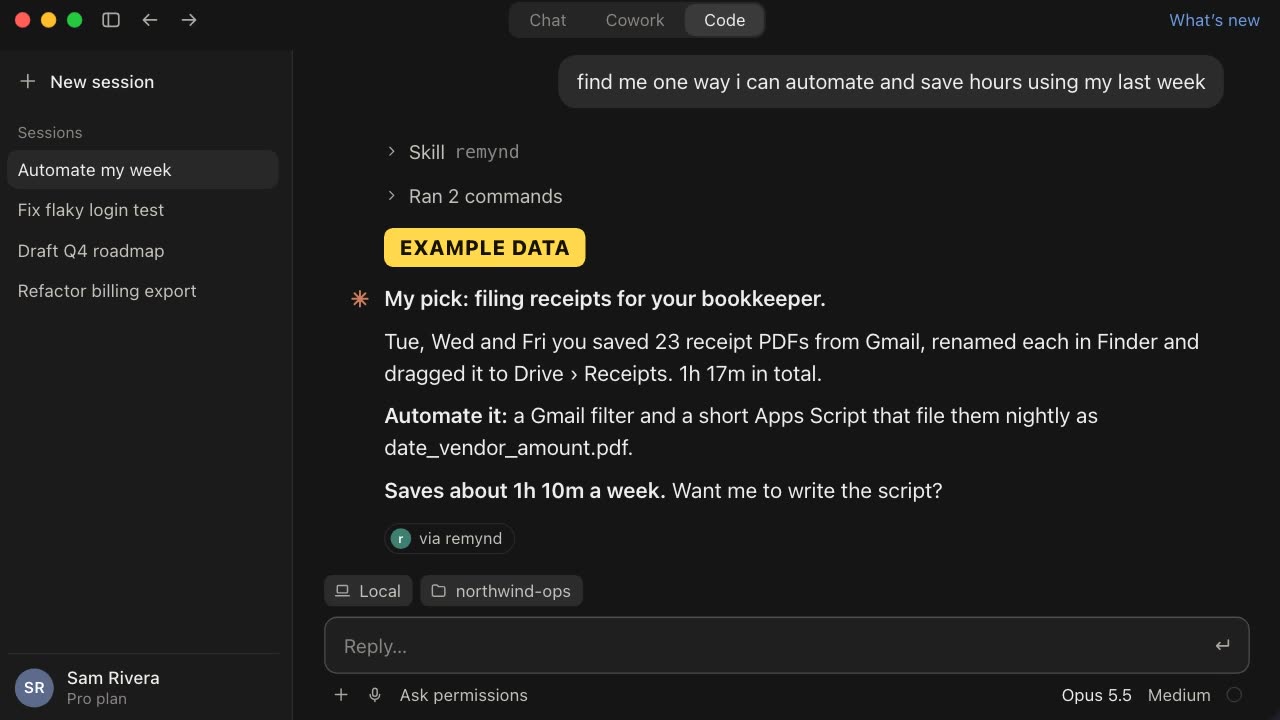
connect remynd to claude code. it finds what to automate in your week.
open remynd when it lands. it takes about a minute.
try these in claude code
connect remynd to claude code first, it’s step 3 above.
-
find me one way i can automate and save hours using my last week
- over the past week, look at my working habits and give me one concrete suggestion to work more efficiently.
-
write my standup update from what i actually worked on yesterday.
pause recording anytime from the menu bar. remynd keeps the searchable index on your mac.
stuck on a step? email [email protected] and we’ll help.
remynd runs on macos.
there’s no windows build to download yet. leave your email, we’ll confirm you’re on the list, and the next thing you hear from us is that there’s something to install. nothing in between.
remynd for windows isn’t here yet.
got a mac too? download it there instead. or email me the mac link.
remynd is a mac app.
it can’t install on a phone or tablet. open this page on your mac and the download starts there.